The Job-Search Workshop I Built With Claude
Job searching is a slog. Sending earnest, thoughtful pitches into the void is painful no matter what. But over the last couple of months I’ve worked to make the process a bit less unpleasant with the help of ✨modern technology✨.
As I’ve been looking for my next role, I noticed that every job posting called for a slightly different (but never embellished) version of me. Mac endpoint engineer role? Better emphasize my Jamf and MDM skills. IAM job? I’ve got Okta, SIEM, and DFS compliance experience. Microsoft Administrator? Here’s everything I did with Microsoft 365, Entra ID, SharePoint. etc.
Same career, same accomplishments, different angle—I started off tailoring by hand in Google Docs, spending most of my job-search energy reformatting and re-exporting PDFs. Even with Claude’s help, it was a lot of manual work. Not to mention I was losing track of where and when I’d already applied.
I decided I’d not only build a system for more efficiently tailoring resumes, but also one to track all my applications.
What I wanted
I wanted three things:
- A markdown source of truth for everything I’d ever done, so tailoring became choosing rather than re-typing.
- A consistent PDF render that didn’t depend on Word, Pages, or Google Docs.
- A way to keep track of which version went where, because by application twenty I’d already forgotten which resume I’d sent to which company.
I also wanted Claude to do most of the work. Not because I trusted it to write my resume from scratch—I don’t—but because most of the labor is procedural: read the JD, pick the right starting template, prune what doesn’t fit, rewrite a few bullets, build the PDF, log the application. Processes are what AI agents are good at, if you provide clear instructions.
The pieces
The repo has four moving parts:
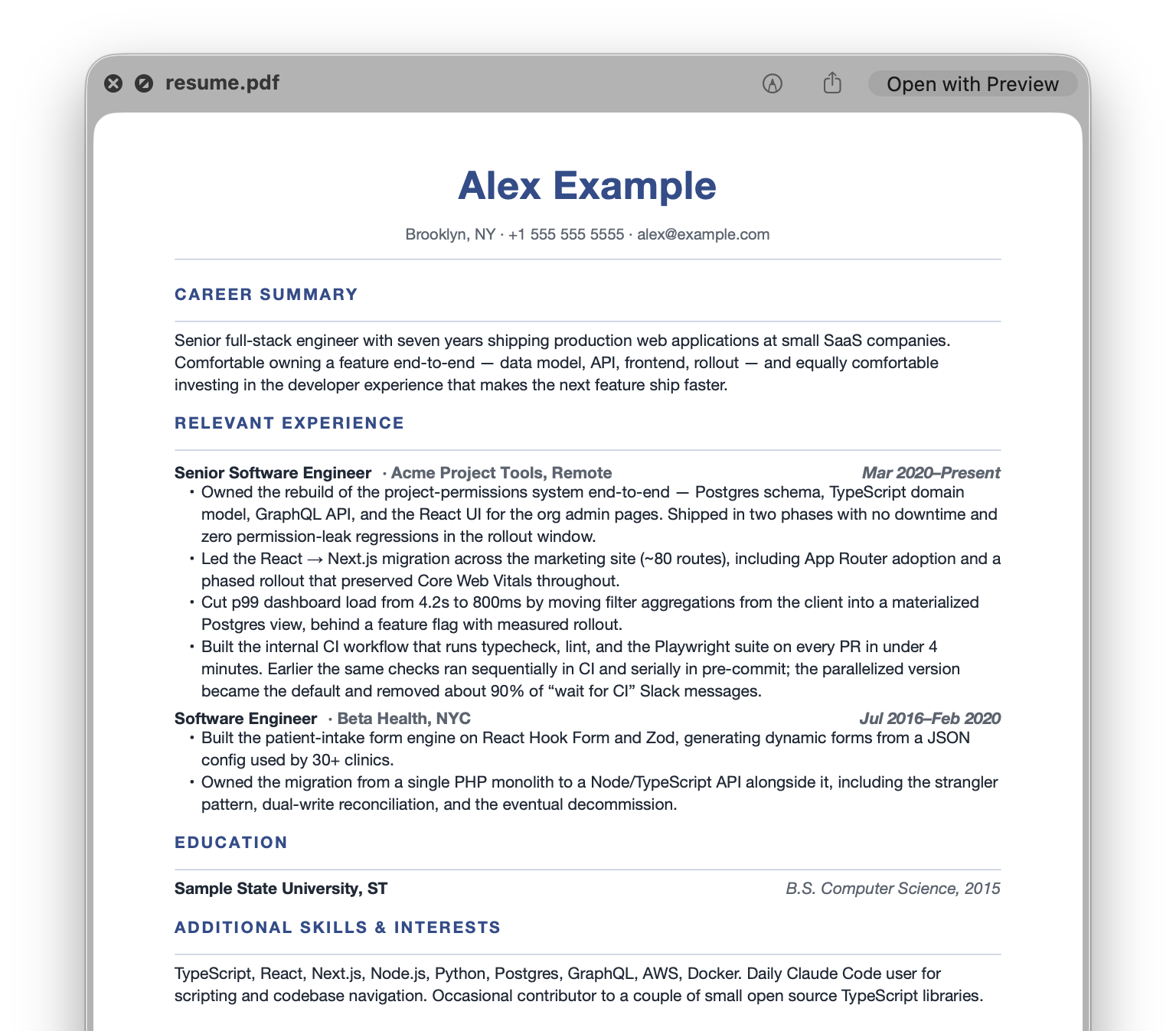
master.md— the kitchen-sink resume. Every role, every bullet, every accomplishment I’ve ever wanted to mention. This is ground truth and nothing in the workflow ever edits it.angles/— pre-tailored starting points for different kinds of roles:mac-admin.md,iam-security.md,platform-infra.md,it-ops.md. Each one is master, but pruned and reframed for a particular pitch. When a JD comes in, the first decision is which angle fits best.style-guides/— voice and framing rules in plain English. There’s atailoring-prompt.mdthat walks through the process, aresume-style-guide.mdwith the rules, and astory-bank.mdof concrete situation→action→outcome anecdotes to pull from when a bullet would land harder as a story. The build doesn’t read these—they exist purely as prompt context for Claude.template/resume.typ— a Typst template that turns the markdown into a PDF. Sub-second compile with consistent formatting.
The build script is one line of pandoc piped into one line of typst:
./build.sh applications/acme-corp/resume.md
# → applications/acme-corp/resume.pdf
The markdown convention the template expects is just:
### Senior Engineer | Acme Corp, NYC | Jan 2020 – Present

- Here's something I did.
- This is another thing I did.
Two pipes in the heading, three parts: title, company, dates. The template right-aligns the dates, italicizes the company, and bolds the title.
The workflow, written down
CLAUDE.md at the root of the repo contains a numbered checklist Claude reads every time I open a session. It tells the agent exactly what to do when I paste a job description into a new Claude Code session:
- Pick the closest angle from
angles/. State your pick and why, in one line. - Cross-reference
master.mdfor anything the angle skipped that’s specifically relevant to this JD. Don’t pad with generic items. - Prune anything in the angle this JD doesn’t care about.
- Rewrite per the style guides. Use the story bank when a bullet would land harder told as a story.
- Write the tailored resume to
applications/<company-slug>/resume.md. - Save the verbatim JD body to
applications/<company-slug>/jd.md. - Register the application in the tracker.
- Stop and hand off for review. Don’t build the PDF yet.
- After I approve, run
./build.shand confirm the PDF was produced. Flag if it ran over two pages.
The “stop and hand off” step is the one that makes the whole thing trustable. Claude drafts, I read, I tweak the markdown to maintain my voice, then we commit to a PDF. I never create a PDF without manual review, because while Claude does good work, it’s not me.
A typical session is just me pasting a job posting and saying:
Here’s a JD — please tailor.
About a minute later there’s a draft at applications/<slug>/resume.md waiting for me to read.
The dashboard
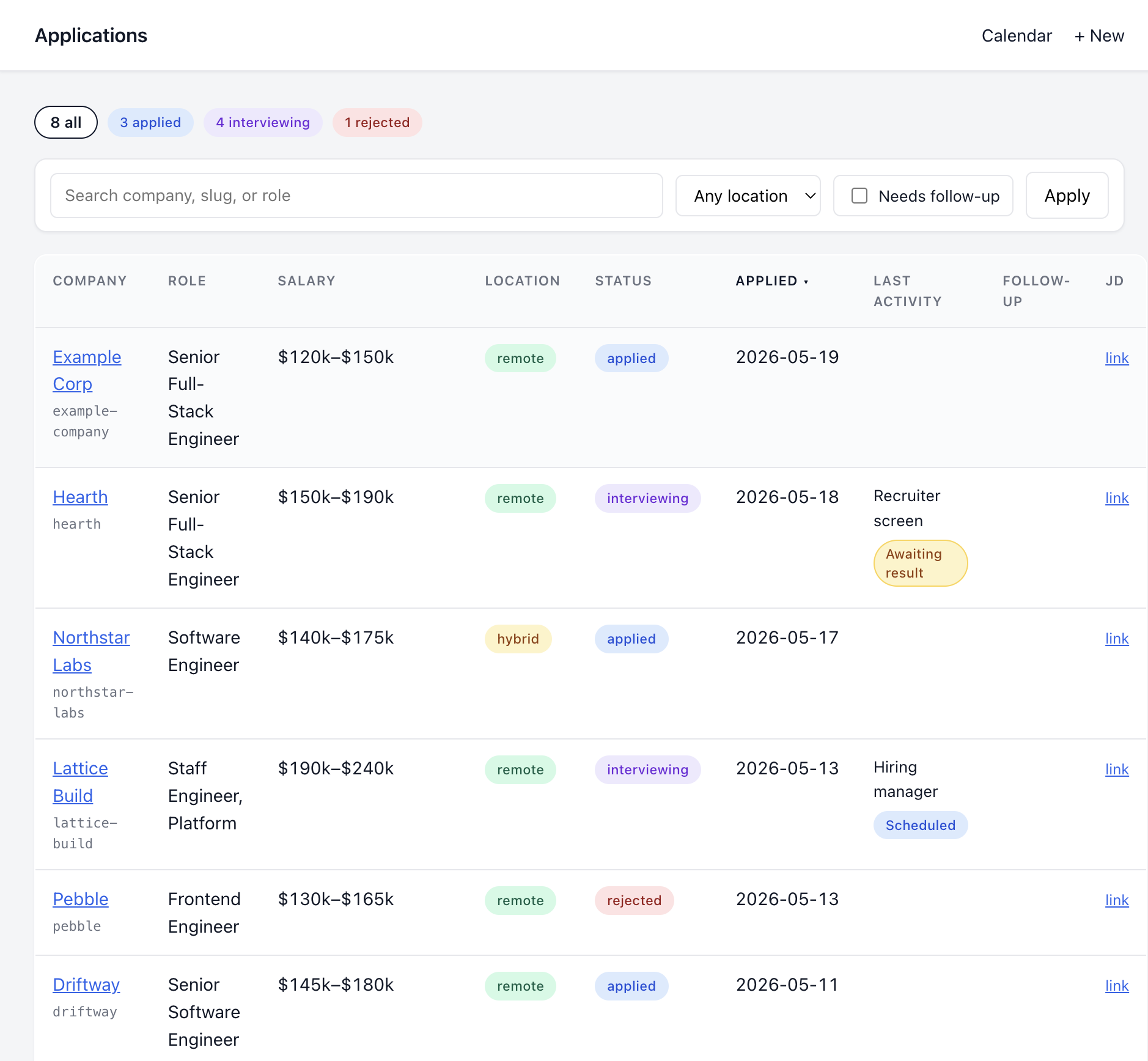
The second half of the system is a local SQLite-backed tracker, run with a tiny Flask UI:
python3 tracker.py serve
# → http://127.0.0.1:5050
I considered Notion, Airtable, and custom spreadsheets I’ve tried before. Everything I’ve used in the past has felt unnecessarily cumbersome to customize and maintain; not designed for how I work.
So the tracker is just a SQLite database (tracker.db) with two tables: applications and interview_rounds, and a Flask UI for filtering, sorting, and a calendar view of upcoming interviews. The DB is committed to git, which means git history is the backup. One repo, one source of truth.
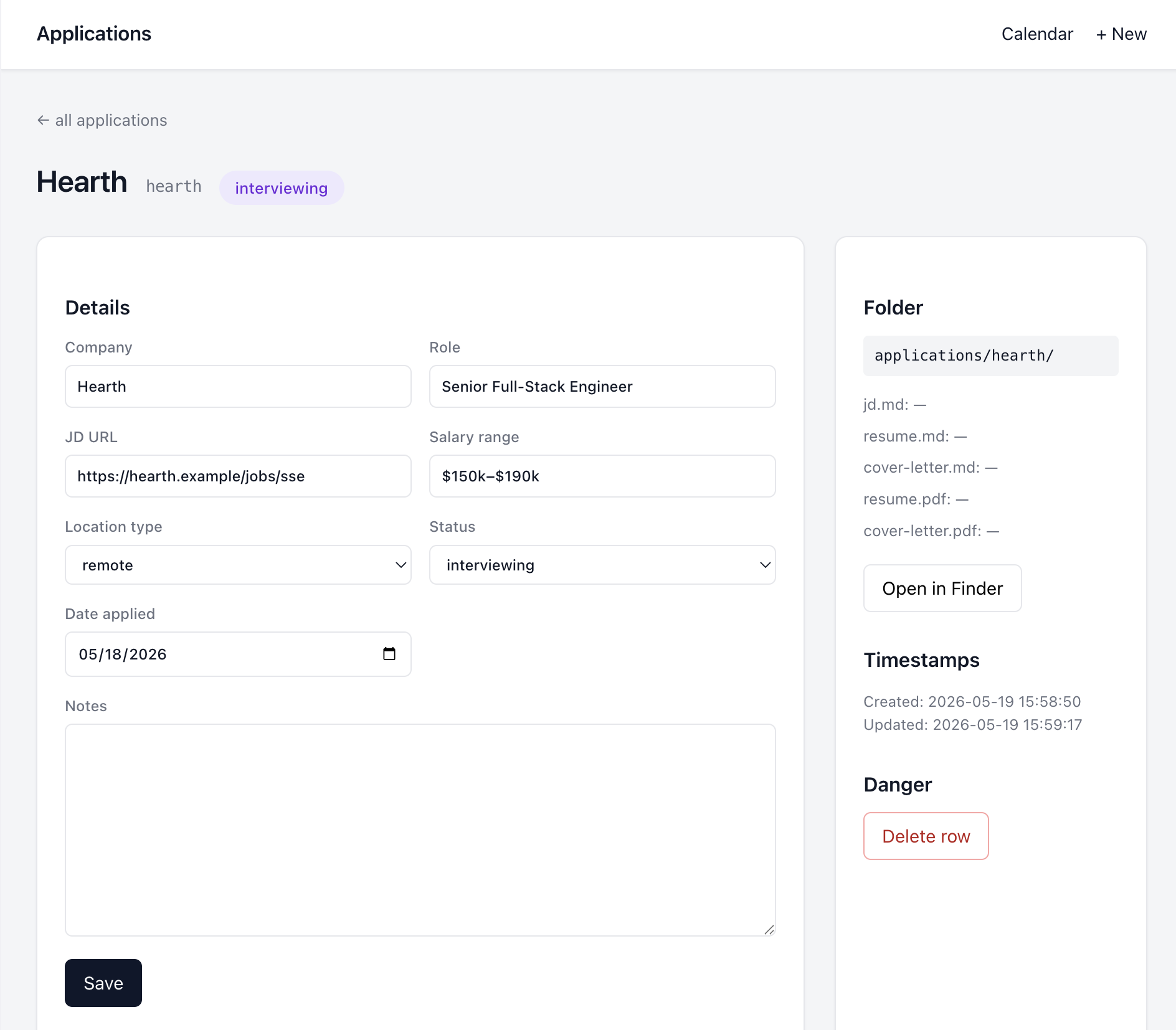
The thing I like most about it: build.sh lazy-creates the tracker row if it doesn’t exist. The folder on disk is the source of truth: if it’s there, the row is there. They can’t drift.
The CLI is the bit Claude actually uses. The CLAUDE.md tells the agent that any time I mention an event that changes state — “Employer 1 scheduled a recruiter screen for next Tuesday at 2pm,” “Employer 2 rejected me,” “Employer 3 sent an offer”—it should update the tracker via the CLI instead of just acknowledging verbally:
python3 tracker.py interview employer-1 --stage "Recruiter screen" --date 2026-05-26T14:00
python3 tracker.py status employer-2 rejected
python3 tracker.py status employer-3 offer
So in conversation I just talk about what happened, and the dashboard stays in sync without me opening it. The next time I do open it, every interview is on the calendar, every status is current, every JD is one click from the application row.
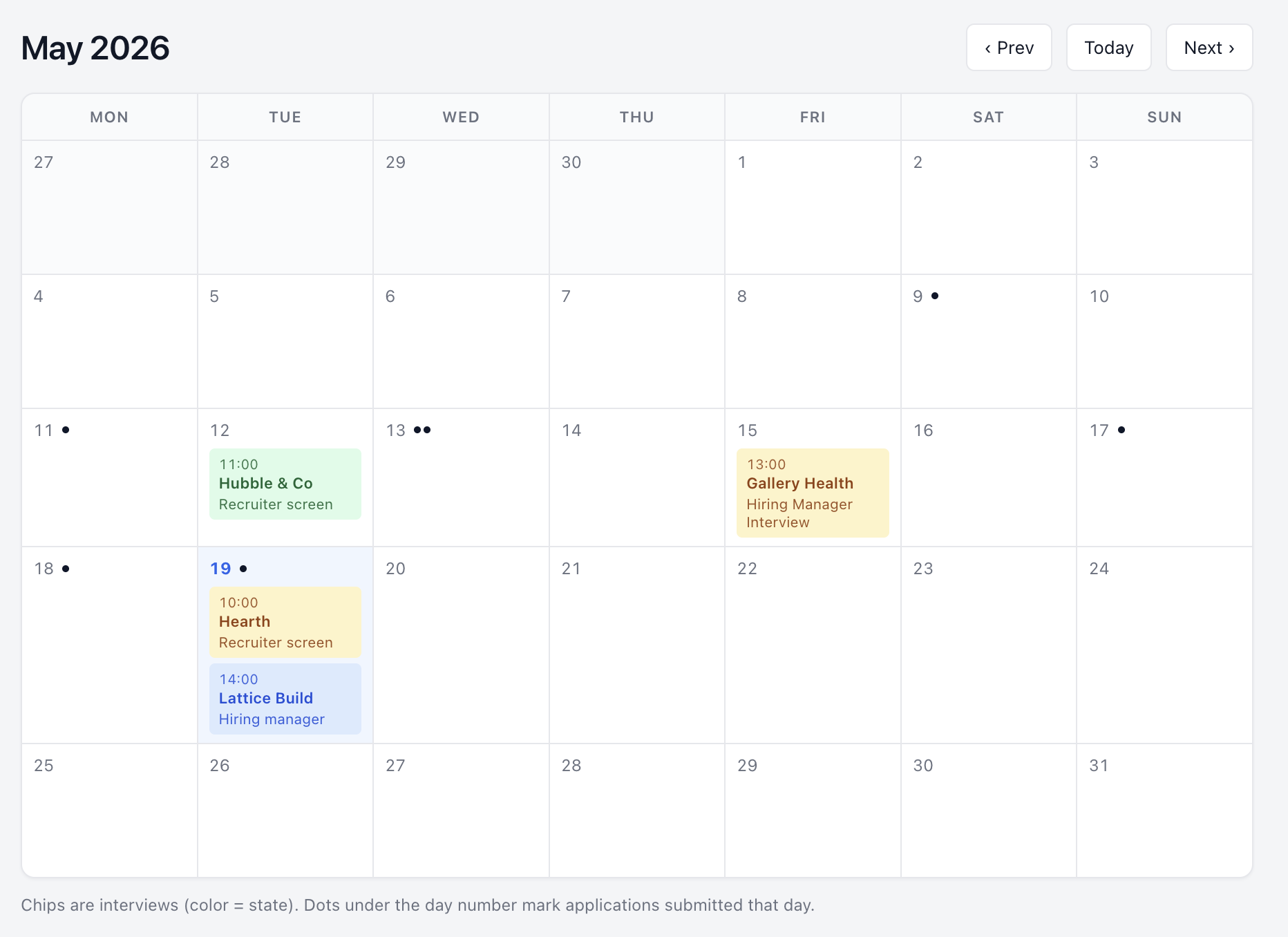
I also added a calendar that shows interviews and a dot for every application sent. Not because I need to know what’s next on it—I have a separate calendar for that—but because seeing the weeks stacked up with applications and interviews is a visible record of effort I’ve been making. On the days where I don’t hear anything back, it’s evidence that I’m still doing the work.
Encoding the process in CLAUDE.md mattered more than any single prompt. Agents follow numbered checklists really well.
SQLite + Flask + git was the right scope. Notion would have been more friction, not less. The whole tracker is about 600 lines of Python. It does exactly what I need and nothing else.
Iterating on the workflow
The other thing I like about building this in Claude rather than as a one-off script: I keep iterating on it without having to context-switch into “engineering” mode.
The latest thing I noticed I needed was a nudge when a recruiter has gone quiet for a week. My instinct has been to assume rejection, but more often than not when I follow up, it turns out they thought they’d contacted me or were just busy. Within minutes, Claude was able to add a follow-up reminder when an application hasn’t had any movement in seven days.
I don’t need to open the codebase, think about whether SQLite handles date arithmetic the way I want, or whether the new column needs a migration. I won’t talk myself out of the feature on the grounds that it’s not worth an afternoon of coding, because it isn’t an afternoon of coding anymore—it’s just a few sentences in a chat window.
Where I am now
The system hasn’t shortened my job search. It hasn’t gotten me an offer (yet). But it’s taken the parts that were grinding me down—the reformatting, the file-organizing, the tracking—and made them disappear.
Now I spend my job-search energy on the parts that actually matter: deciding which companies are worth applying to, picking which stories to lead with, having the actual conversations.
The slog is still a slog. But it’s one I’ve made more pleasant, one iteration at a time.
For another way Claude has been helping me with my job search and career, see The Senior Engineer I Didn’t Notice I’d Become.
Want to try it yourself?
I’ve published a template version at github.com/callanable/claude-resume-workflow. Clone it, drop in your resume, and start your own workshop.